








How to Take Sharp and Clear Photos with a Mobile Phone?
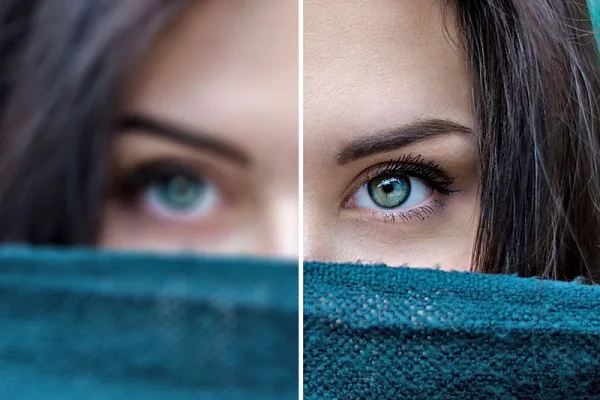
Taking sharp and clear photos is one of the most important concerns in mobile photography. Many photos turn out blurry and low-quality due to hand shake, incorrect focus, or poor lighting. Fortunately, by following a few simple and practical tips, you can capture clear, precise, and professional photos with your mobile phone. In this article, we will examine the most important methods and tricks for taking sharp photos with a mobile phone.
Keep the Mobile Steady
The main reason for blurry photos with a mobile phone is hand shake. When taking a photo, hold the phone with both hands, keep your elbows close to your body, and lean against a stable surface if possible. Using a timer or a tripod also has a significant impact on increasing photo clarity.
Use Sufficient Light
Lack of light causes increased noise and reduced image sharpness. Whenever possible, take photos in bright environments or use natural light near a window. The more and more uniform the light, the clearer the registered photo will be.
Adjust Focus Manually
By touching the screen on the subject, specify the focus manually. This causes the camera to focus exactly on the important part of the image and prevents the subject from becoming blurry.
Clean the Camera Lens
The presence of dust or fingerprints on the lens reduces photo clarity. Before taking a photo, clean the mobile lens with a soft, clean cloth.
Avoid Using Digital Zoom
Digital zoom reduces image quality and causes a drop in sharpness. Instead of zooming, get closer to the subject or crop the image later.
Activate HDR Mode Wisely
HDR helps capture details in contrasting lighting conditions, but in moving scenes, it may reduce clarity. Use this mode only when necessary.
Use Pro or Manual Mode
In professional mode, you can lower the ISO and select an appropriate shutter speed. Lower ISO creates less noise and a sharper photo, especially in sufficient light.

Use Image Stabilization
If your mobile phone has optical or digital image stabilization, make sure this feature is enabled. Stabilization helps photos be captured more clearly.
Take Multiple Shots in Succession
Sometimes the first photo is not the best option. By taking several consecutive photos, the chance of capturing a completely sharp image increases, and you can choose the best photo.
Edit Photos Properly
Excessively increasing sharpness during editing causes the image to look artificial. Gently adjusting sharpness and reducing noise makes the photo clarity better and more natural.
Conclusion
To take sharp and clear photos with a mobile phone, you need to pay attention to hand stability, proper lighting, and precise focus more than anything else. Observing these simple tips can significantly increase the quality of your photos and yield a professional result.
Frequently Asked Questions
1. Why do mobile photos turn out blurry?
Hand shake, low light, and incorrect focus are among the most important reasons for blurry photos.
2. Is Pro mode useful for increasing sharpness?
Yes, by manually adjusting ISO and shutter speed, clearer photos can be captured.
3. Does photo editing increase clarity?
Yes, if edited properly and gently; however, overdoing sharpness reduces quality.